
Shared digital stethoscope
iMedCast
One stethoscope, the whole class listening.
- Three languagesFull interface in English, Portuguese and Spanish
- Every screenRuns on desktop, tablet and smartphone
- Runs in your browser, nothing to installChrome 107+Edge 107+Safari 16+ · macOS, iPhone and iPadFirefox 104+An internet connection is required to load every application.
Teaching auscultation usually means one student at a time on one stethoscope. iMedCast streams real recordings of heart murmurs and lung sounds live to every student’s phone, in the room or remotely. The instructor controls what plays and when; students listen, answer and measure.
- 425
- sounds in the library, each with its source and license
- 24
- heart recordings: congenital, acquired and innocent murmurs
- 4 mmHg
- grading tolerance on live blood-pressure exercises
Built by physicians.Grounded in science.Reviewed by senior clinicians.
Programmed, supervised and guided by physicians. Driven by computational physiology engines built from peer-reviewed research, and tested by senior healthcare professionals.
How we build our simulatorsiMedCast on screen
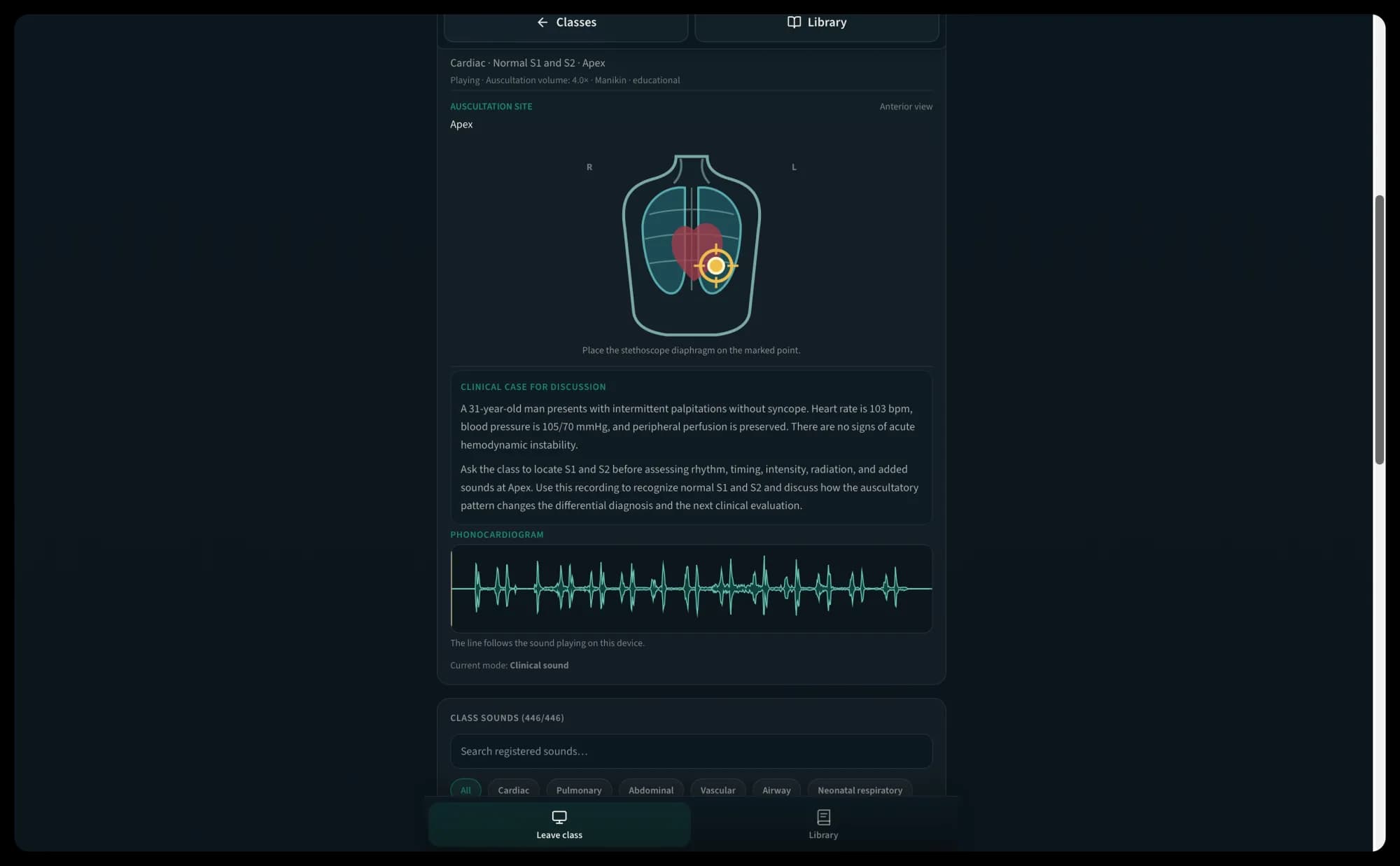
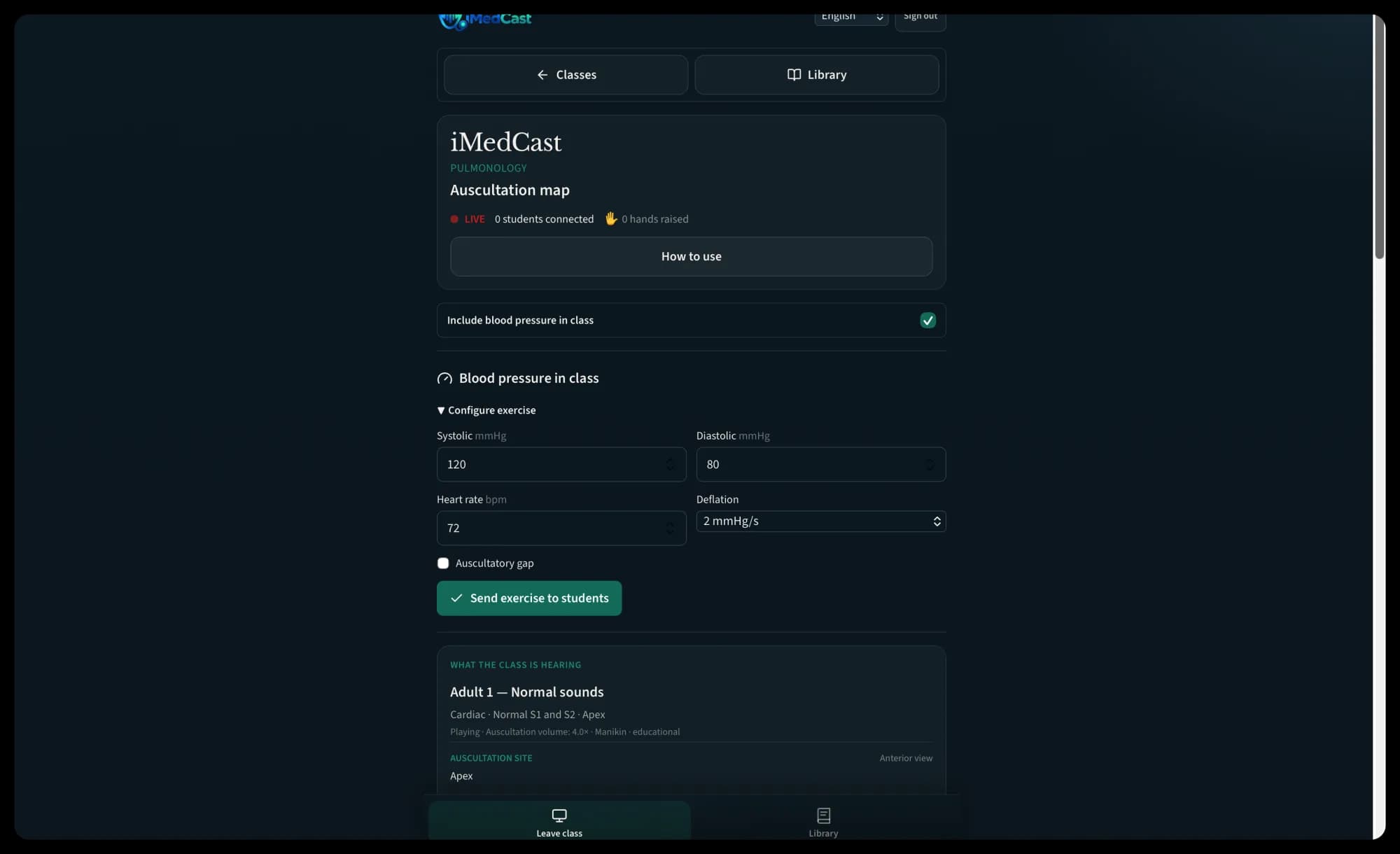
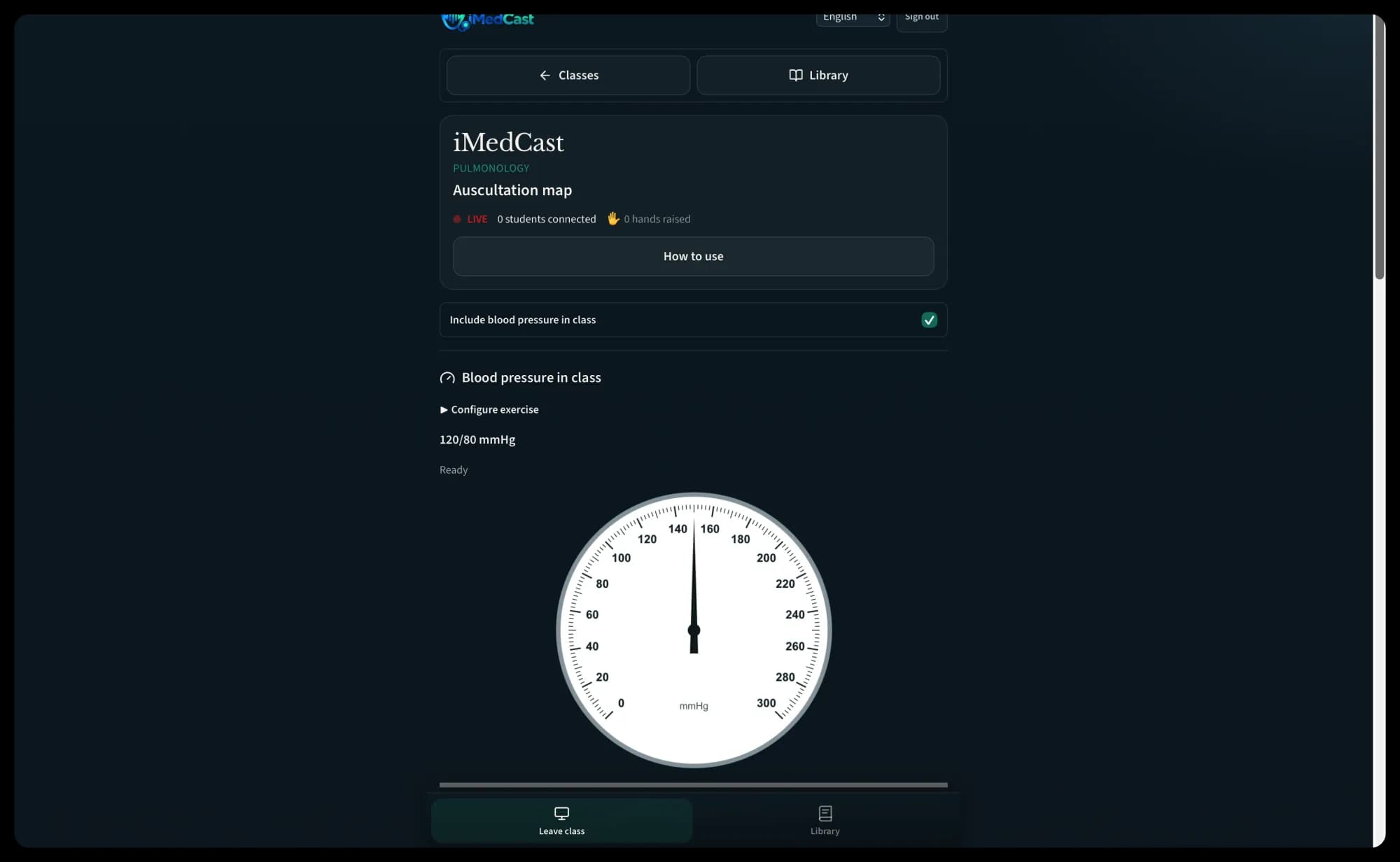
iMedCast in use on a phone 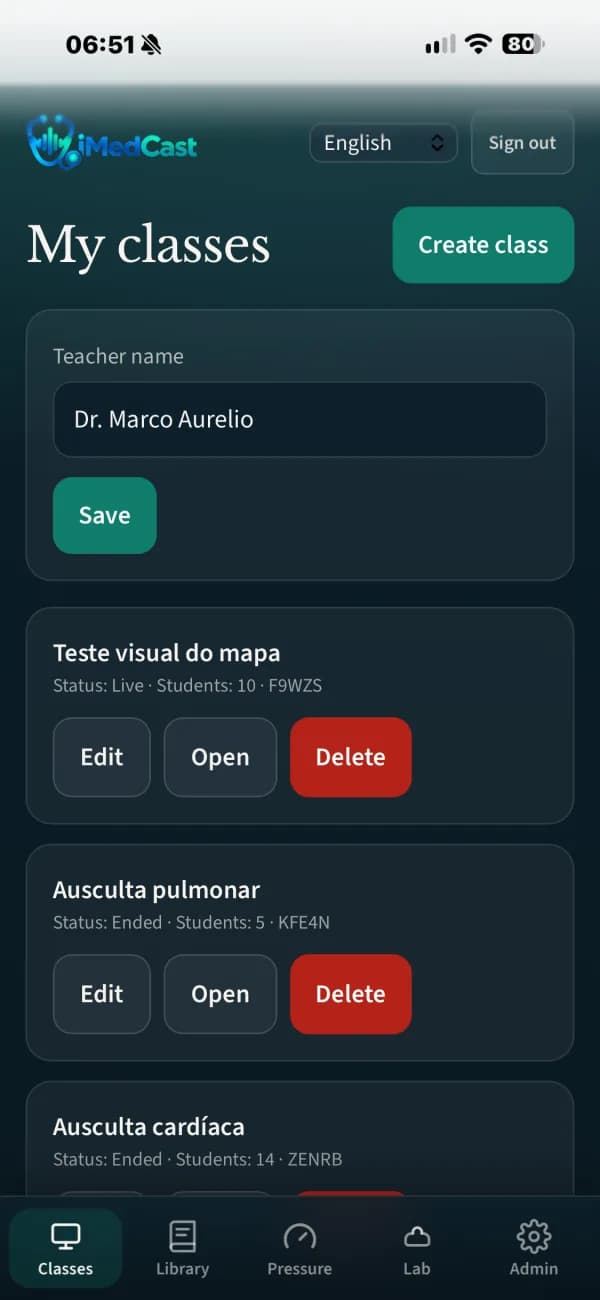
Phone layout 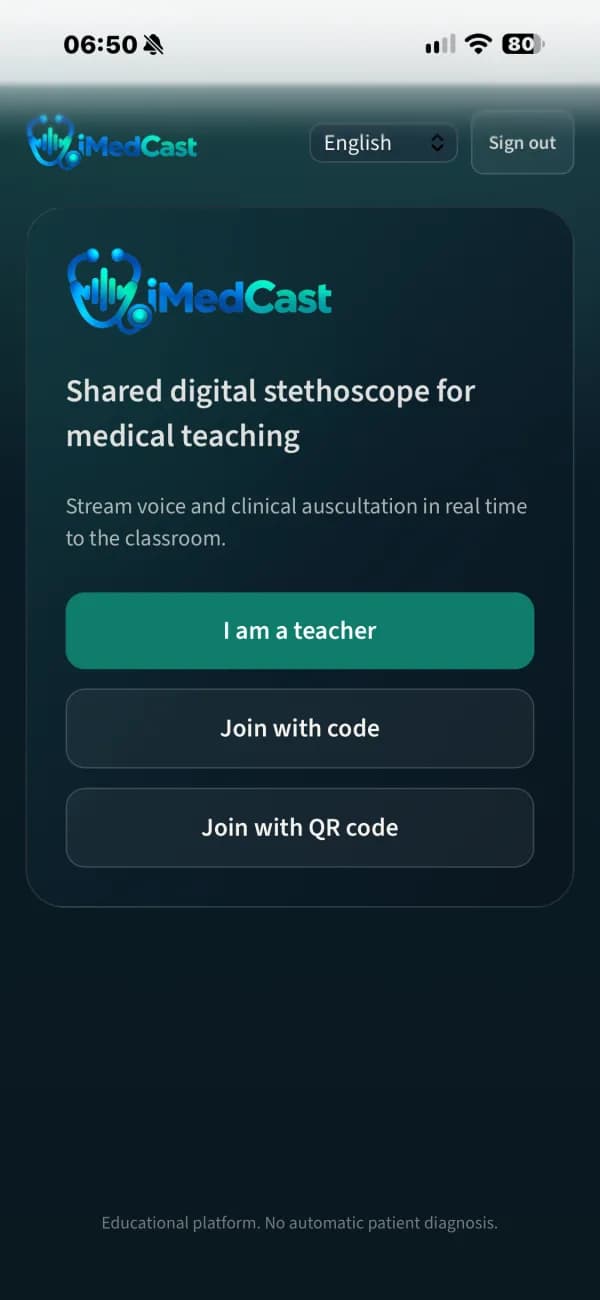
Phone layout
What it does
Everything below is in the app today.
Live class audio
The instructor plays clinical sounds to every student at once, on a channel built for auscultation rather than video calls. Students only listen: their microphones are never used.
The instructor holds the stethoscope
Play, pause, resume, restart and stop each sound for the whole room. Students can’t start playback themselves, and late arrivals join at the current point.
Congenital heart murmurs
Recorded patients with atrial and ventricular septal defects, patent ductus arteriosus, pulmonary stenosis, bicuspid aortic valve, and combined aortic stenosis and regurgitation, in both pediatric and adult presentations.
Acquired and innocent murmurs
Mitral stenosis, mitral regurgitation with prolapse, innocent and functional murmurs, a third heart sound, and normal S1 and S2 for comparison. Several conditions have more than one recording, so students hear how the same lesion varies.
How each murmur is made
Every cardiac finding carries a note on its genesis and pathophysiology: why a narrowed aortic valve makes a harsh crescendo–decrescendo murmur, why mitral regurgitation is holosystolic at the apex, why an ASD itself is almost silent.
Lung sounds from open datasets
386 lung recordings from two open scientific datasets, classified as normal, wheeze, fine and coarse crackles, rhonchi, pleural rub and mixed. The finding is kept separate from the diagnosis, as it is at the bedside.
A phonocardiogram that follows the sound
A moving waveform tracks the audio exactly as it plays: it freezes on pause and picks up where it left off.
Teaching notes on every sound
An auscultation-site map, diagnoses you can show or hide, and notes on each sound’s origin and pathophysiology that the instructor chooses when to share. Favorites keep a lesson’s sounds together.
Auscultation challenge and quizzes
Students identify sounds and answer questions from a question bank, and the instructor sees the results as they arrive.
Blood-pressure training
A simulated gauge with Korotkoff sounds. Set systolic and diastolic pressure, heart rate, deflation rate and an optional auscultatory gap, following the American Heart Association technique. Assessment mode hides the target until the student answers, and random cases support solo practice.
Blood pressure, live in class
Publish a measurement to the whole class and every phone runs the same gauge in sync. Each student submits a reading, the server grades it, and the instructor sees every name, reading and result.
Sources you can cite
A scientific sources page lists every dataset with its DOI, license and file count, and each recording is checked for integrity when it is imported. Admins can add sounds with their own license and citation.
Made to survive a real classroom
A privacy button pauses the broadcast, connections recover by themselves, sounds keep playing if the live link drops, and an audio lab checks headphones before class. It works in Safari on iPhone.
An auscultation class with iMedCast
From a lecture hall to a remote cohort, a class takes a few taps to start.
- 1
Open the class
Sign in, create a class and put the QR code and short code on screen.
- 2
Students join
They scan with their phones, join as guests, test their headphones and tap to listen.
- 3
Play the sound
Explain the case, then play a wheeze, a crackle or a murmur to everyone at once.
- 4
Ask what they heard
Launch a question or the auscultation challenge and watch the answers come in.
- 5
Measure together
Publish a blood-pressure exercise. Every student hears the Korotkoff sounds and submits a reading to be graded.
- 6
End the class
Close the session. The audio was streamed, not recorded.
Who it’s for and where it runs
Built for
- Medical school instructors teaching auscultation and clinical skills
- Students in the room or joining remotely
- Skills labs, nursing and allied-health programs
Runs on
- Runs in the browser and installs to the home screen
- Students use their own phones and headphones
- No student account needed to join a class
- English, Portuguese and Spanish
See iMedCast with your team.
Email us and we’ll arrange a walkthrough for your program, department or institution.