

Ventilation simulator
iVent Adult
An adult ICU ventilator in the browser, driven by real physiology.
- Three languagesFull interface in English, Portuguese and Spanish
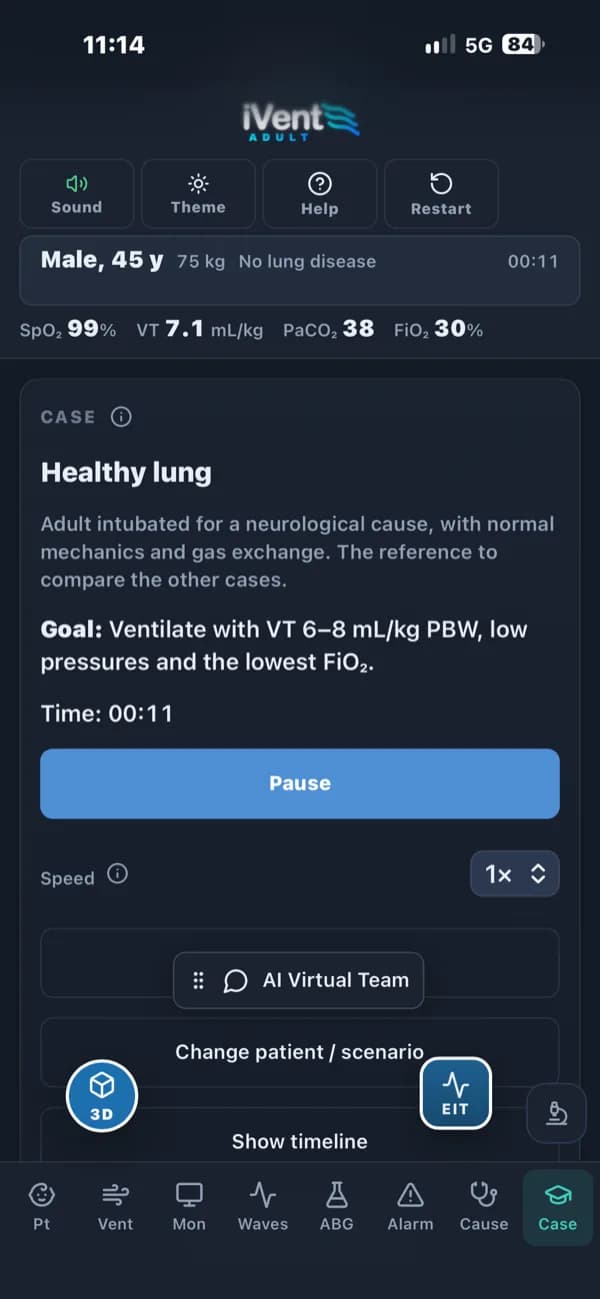
- Every screenRuns on desktop, tablet and smartphone
- Runs in your browser, nothing to installChrome 107+Edge 107+Safari 16+ · macOS, iPhone and iPadFirefox 104+An internet connection is required to load every application.
Ventilating a critically ill adult means reading curves, loops and alarms while the patient changes under you. iVent Adult puts an ICU ventilator in the browser, driven by a physiology engine, so learners can practise that reasoning on ARDS, severe asthma or a massive pulmonary embolism without risking a patient.

- 10
- adult clinical cases
- 13
- ventilation modes, from VC-CMV to NAVA, NIV and HFNC
- ~80
- clinical events to trigger
Built by physicians.Grounded in science.Reviewed by senior clinicians.
Programmed, supervised and guided by physicians. Driven by computational physiology engines built from peer-reviewed research, and tested by senior healthcare professionals.
How we build our simulatorsiVent Adult on screen
Phone layout 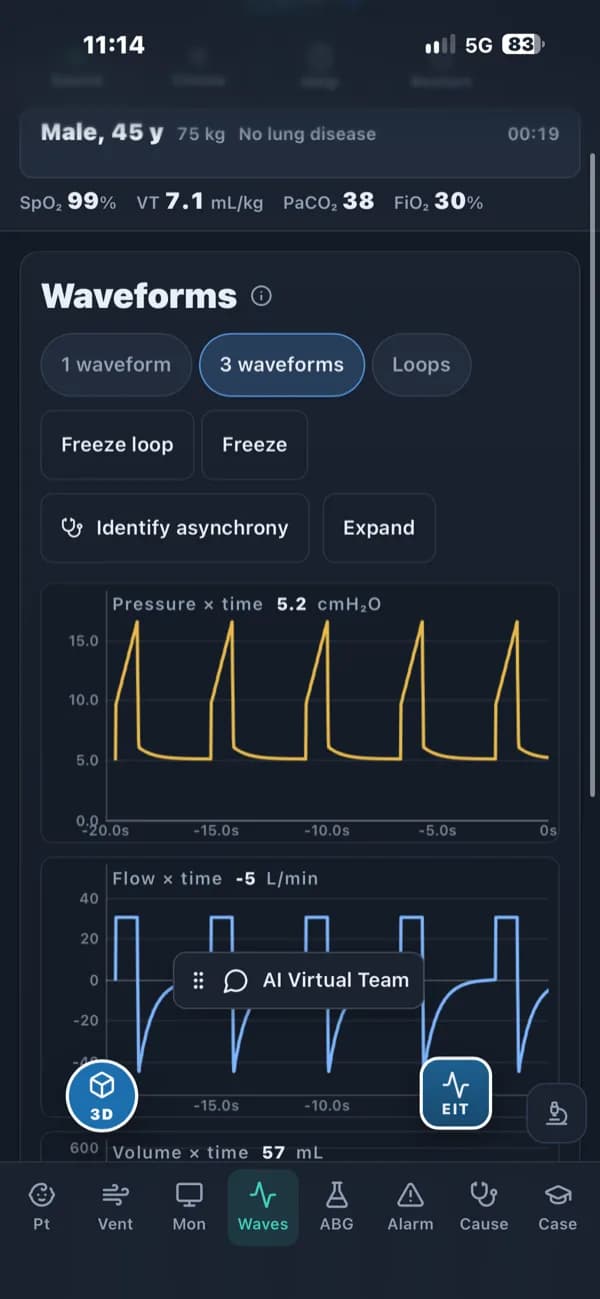
Phone layout 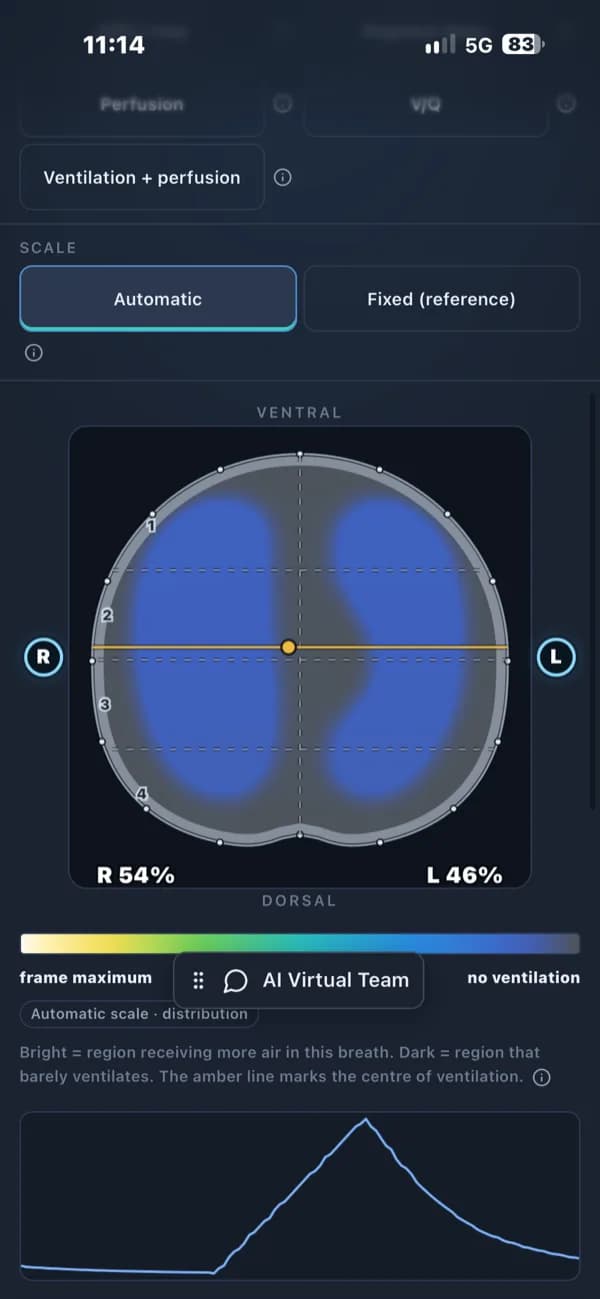
Phone layout
What it does
Everything below is in the app today.
Curves calculated, not drawn
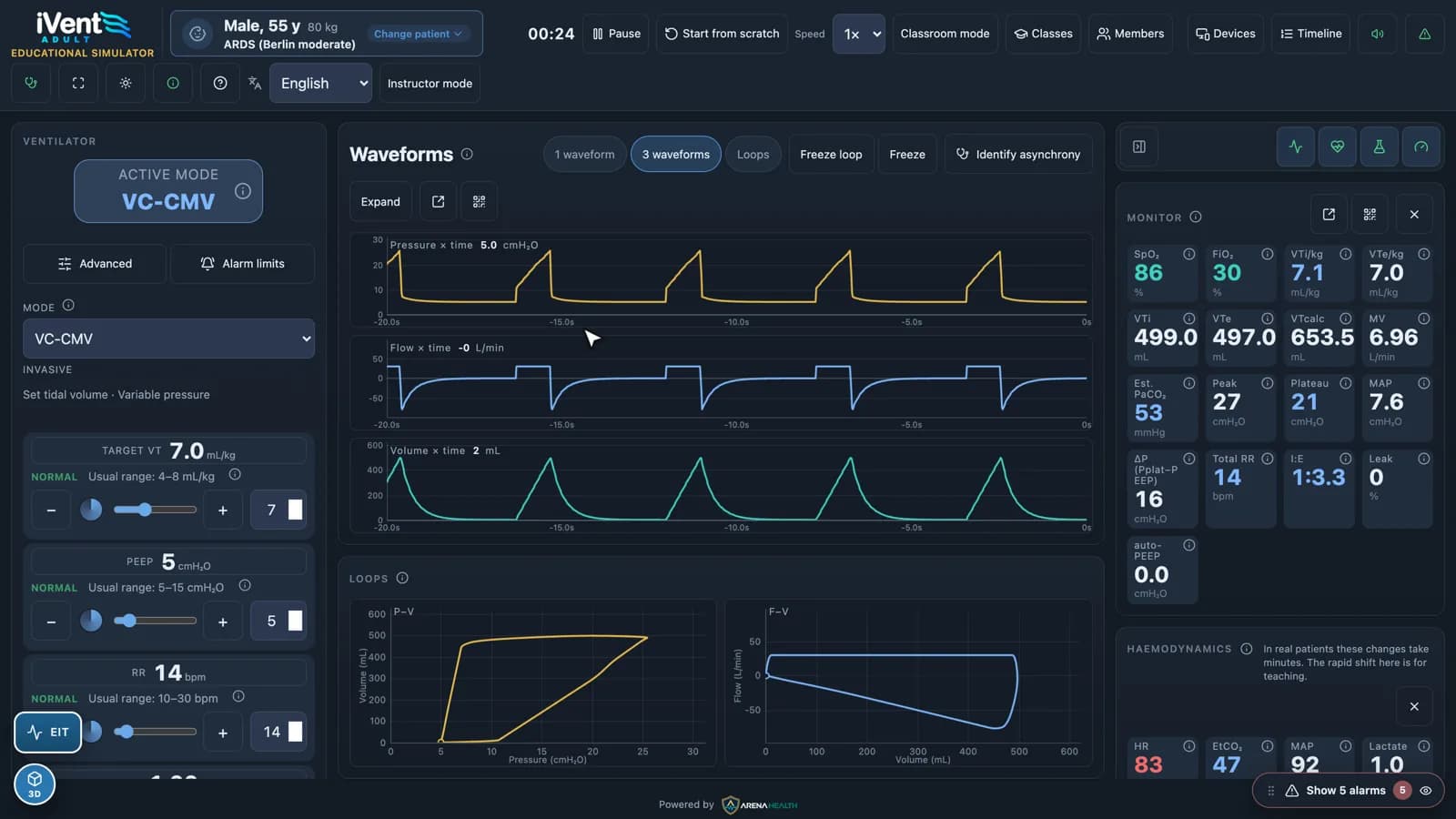
Pressure, flow and volume waveforms and P–V and F–V loops come from the simulated lung. The monitor shows tidal volume per kg, plateau and driving pressure, auto-PEEP, estimated PaCO₂ and I:E alongside.
Thirteen modes
From volume- and pressure-controlled ventilation to pressure support, NAVA, non-invasive ventilation and high-flow nasal cannula, each with its usual ranges shown next to the control.
Adult cases that behave differently
Ten adult cases, including moderate ARDS by the Berlin definition, status asthmaticus and massive pulmonary embolism. The same settings give a different result in each one.
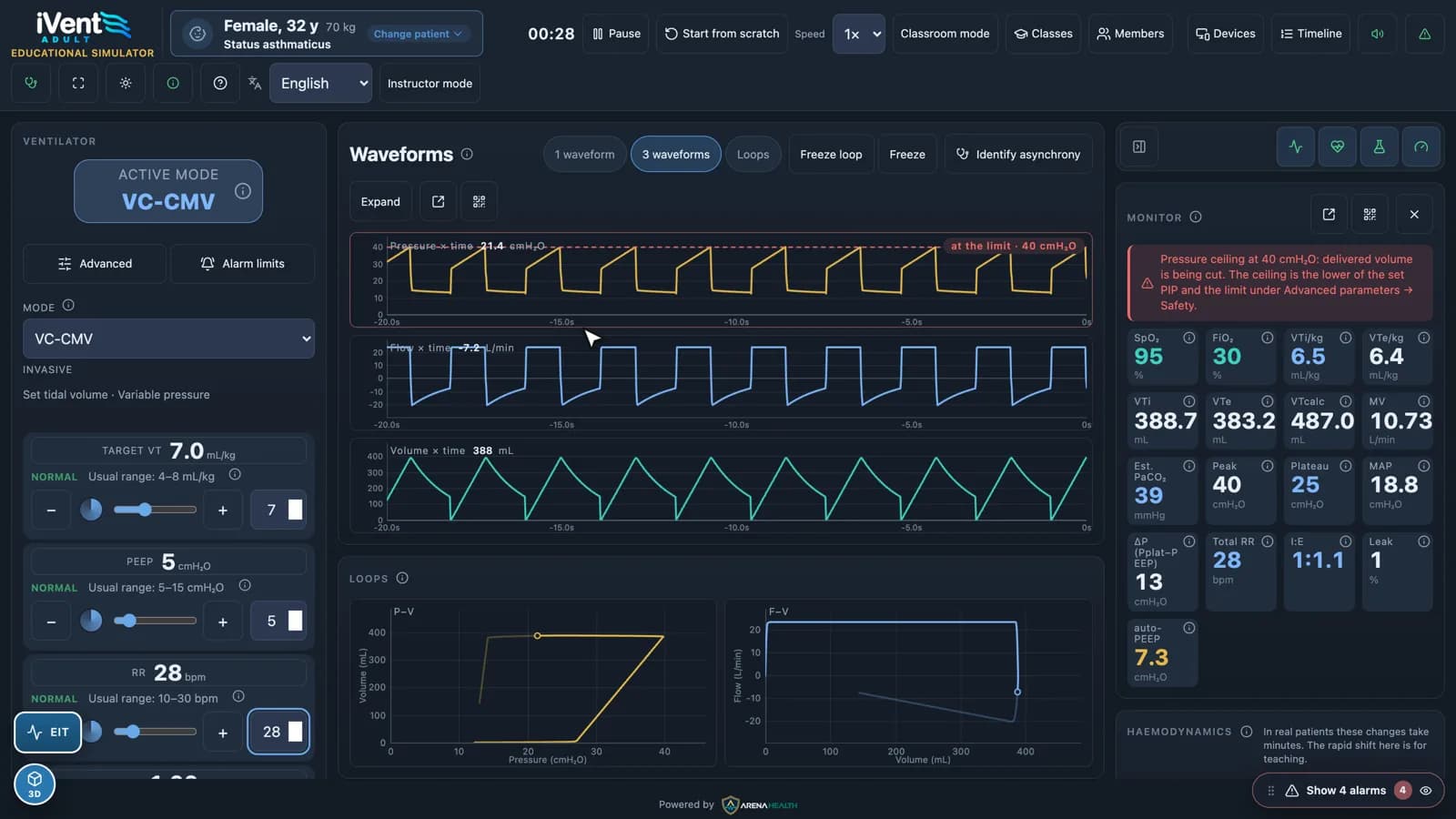
Severe asthma and auto-PEEP
Watch air trapping build up, measure auto-PEEP, and see a pressure ceiling cut the delivered volume, with the monitor explaining which limit is active.
EIT with ventilation and perfusion
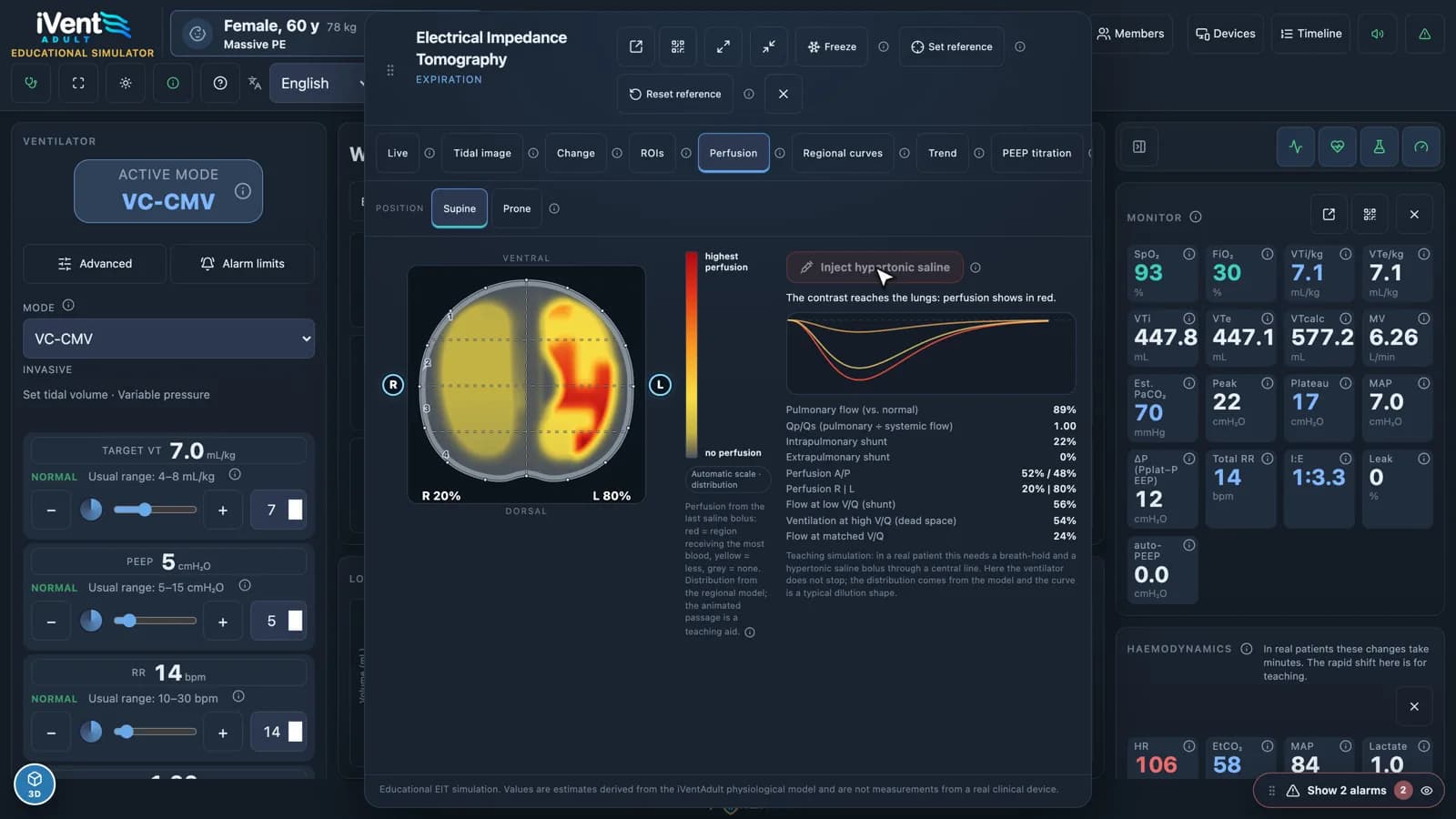
Simulated electrical impedance tomography with tidal images, regions of interest, regional curves, trends, supine and prone positions and PEEP titration. A saline bolus shows perfusion, so a massive PE appears as a right–left perfusion defect with shunt and dead space figures.
Asynchrony on the waveforms
Double triggering, ineffective efforts and other asynchronies appear on the live curves, with the patient’s muscle pressure and neural effort overlaid to show what the ventilator missed.
Critical events, safe to practise
Around 80 events, from a circuit disconnection onwards. Waveforms, monitor and alarms respond the way they would at the bedside, and alarm limits can be set per patient.
A 3D lung in sync
Rotatable 3D lungs and airways that breathe with the simulated patient, opened beside the ventilator.
Hemodynamics alongside
Heart rate, end-tidal CO₂, mean arterial pressure and lactate respond to ventilation, so the cost of high pressures on the circulation is part of the lesson.
Built for teaching
Pause, change speed or start a case from scratch. Freeze waveforms and loops, open a view on another screen or by QR code, and run classes with instructor mode, members, devices and a case timeline.
A ventilation class with iVent Adult
One case can carry a class from settings to diagnosis.
- 1
Choose the patient
Pick one of the adult cases, such as ARDS, severe asthma or a pulmonary embolism.
- 2
Set the ventilator
Learners choose a mode and settings and watch the curves, loops and monitor respond.
- 3
Read the curves
Spot auto-PEEP, a pressure ceiling or an asynchrony on the waveforms, then freeze them to discuss.
- 4
Look deeper with EIT
Check where ventilation and perfusion are going, and titrate PEEP region by region.
- 5
Trigger an event
Drop in a critical event and let the class work out what changed from the alarms and curves.
- 6
Review the timeline
Go back over what happened and when, and what the class did about it.
Who it’s for and where it runs
Built for
- ICU and emergency medicine residents
- Intensivists, respiratory therapists and physiotherapists
- ICU nursing teams
- Residency programs, universities and simulation centers
Runs on
- Runs in the browser; no hardware to buy
- Desktop, tablet and phone layouts
- Views open on a second screen or by QR code
- English, Portuguese and Spanish
See iVent Adult with your team.
Email us and we’ll arrange a walkthrough for your program, department or institution.